Home > Networking, Solaris Express, Storage > OpenSolaris – iSCSI

OpenSolaris – iSCSI

November 13th, 2009 Daz Leave a comment Go to comments

Want iSCSI in opensolaris?

Grab SUNWiscsitgt via package manager.

enable the server via svcadm;

svcadm enable iscsitgt

create your zfs iscsi pool;  (this command will limit iscsi drive to 500GB in size)

zfs create -V 500G tank/iscsi

set isci on via zfs command;

zfs set shareiscsi=on tank/iscsi

check that target is up and running;

iscsitadm list target -v

Done. Should be able to connect via ip from another machine. I have not covered CHAP or any client side configuration. Assumed isolated LAN.
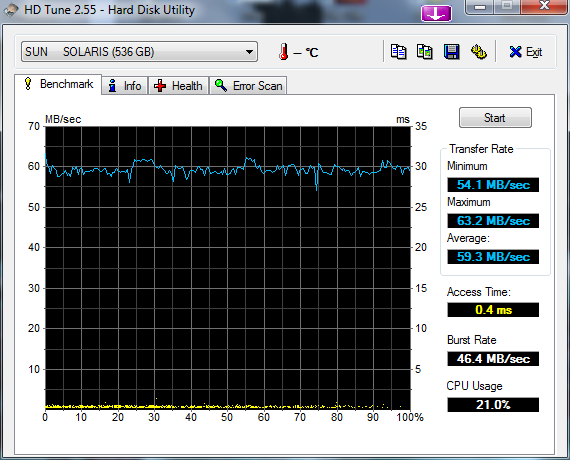
HDTune_Benchmark_SUN_____SOLARIS

  1. sh0x
    November 29th, 2009 at 11:29 | #1

    Great blog I enjoy your posts. You may consider using comstar for iscsi target but its not integrated with zfs command yet.

    #update opensolaris with dev release
    pkg set-authority -O http://pkg.opensolaris.org/dev opensolaris.org
    pkg image-update

    #install comstar
    pkg install storage-server

    #enable new solaris iscsi target provider (iscsit)
    svcadm disable iscsitgt
    svcadm enable svc:/system/stmf
    svcadm enable svc:/network/iscsi/target

  2. November 29th, 2009 at 16:26 | #2

    Thanks Sh0x, is there any advantages to comstar over the Sun target service?

  3. Brice B.
    December 4th, 2009 at 15:25 | #3

    Sound like fun to have it working…!

    I’ve tried exactly the same commands but the last one is not returning anything :
    iscsitadm list target -v

    Do you have any idea what could be the cause, I asked all around, nothing.. I’m stuck there since weeks :/ Thank you for your help!

  1. No trackbacks yet.

To submit your comment, click the image below where it asks you to...
Clickcha - The One-Click Captcha