Linux

emergency reboot a hung Linux host

Sometimes you need something that can kick a host a bit harder than the standard reboot command. Even if you include the -f switch to force, a hung task can prevent your host from rebooting.

Try this - first enable the sysrq setting, then trigger. Your host should reboot immediately.

sudo echo 1 > /proc/sys/kernel/sysrq
sudo echo b > /proc/sysrq-trigger

Note : This is effectively a hard reset which does not cleanly shut services or tasks down. You may need to check your disk on some operating systems.

Ubuntu - Disable Firewall

if your working with Ubuntu in lab or test env, you may want to disable firewall…. two simple commands;

sudo ufw disable 

sudo apt-get remove ufw 

Reading package lists... Done
Building dependency tree
Reading state information... Done
The following packages will be REMOVED:
ufw
0 upgraded, 0 newly installed, 1 to remove and 3 not upgraded.
After this operation, 838 kB disk space will be freed.
Do you want to continue? [Y/n] Y
(Reading database ... 64052 files and directories currently installed.)
Removing ufw (0.35-0ubuntu2) ...
Skip stopping firewall: ufw (not enabled)
Processing triggers for man-db (2.7.5-1) ...

pc engine - pfsense as router / firewall

download (1)Just built a pfsense router on  a pc engine to replace my aging 7390 fritzbox…. Very very awesome and fast!

Perfect for UFB (ultra fast broadband) here in New Zealand - FTTH has arrived :)

I’m currently running these services on it (2 x 1GHZ cpu, 4GB RAM, 16GB msata SSD);

  • dhcpd - DHCP server
  • miniupnpd - UPnP server
  • ntpd - NTP server
  • squid - Transparent Proxy & Reverse Proxy
  • snort - IDS (Intrusion Detection System) / IPS (Intrusion Prevention System)
  • ssd - SSH server
  • unbound - DNS Server
  • ipsec - IPsec VPN (site to site VPN)
  • openvpn - Open VPN (client VPN)

Check these links for some great advise…

Creating a .pem with the Private Key and Entire Trust Chain

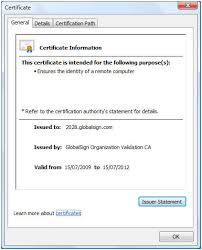
download (3)You may find you install a SSL cert, but certain browsers show the connection as unsafe (i.e. mobile browser has issues but desktop browsers are happy)

This generally points to not having the cert chain correct. You can check your cert chain at sites like -

https://ssltools.websecurity.symantec.com/checker/views/certCheck.jsp

https://www.sslshopper.com/ssl-checker.html


  1. Download your Intermediate and Primary Certificates.

  2. Open a text editor (such as notepad) and paste the entire body of each certificate into one text file in the following order:

    1. The Private Key - your_domain_name.key
    2. The Primary Certificate - your_domain_name.crt
    3. The Intermediate Certificate - gd_bundle_g2_g1.crt
    4. The Root Certificate - TrustedRoot.crt

    Make sure to include the beginning and end tags on each certificate. The result should look like this:

    -—-BEGIN RSA PRIVATE KEY—– (Your Private Key: your_domain_name.key) —–END RSA PRIVATE KEY—– —–BEGIN CERTIFICATE—– (Your Primary SSL certificate: your_domain_name.crt) —–END CERTIFICATE—– —–BEGIN CERTIFICATE—– (Your Intermediate certificate: DigiCertCA.crt) —–END CERTIFICATE—– —–BEGIN CERTIFICATE—– (Your Root certificate: TrustedRoot.crt) —–END CERTIFICATE—–

    Save the combined file as your_domain_name.pem. The .pem file is now ready to use.

ERROR: No forward-proxy ports configured

I had the above issue after a squid upgrade and after changing from http_port 3128 transparent to http_port 3128 intercept.

Add “http_port 8080” line to squid.config to avoid this message, if you are not already using that port.

The changes in security require that a separate port be setup for forwarding proxy requests

nginx - and gzip

i only have vdsl at home and host my website via it… the following graphs shows when nginx started serving faster than the vdsl connection could handle (which is about 9Mbits)

ngnix with cache enabled, gzip enabled and set to 6

http://loadimpact.com/load-test/sigtar.com-6a246200e28f354c64582cf2c0b6ce46

ngnix with cache enabled, gzip enabled and set to 9 (maximum)

http://loadimpact.com/load-test/sigtar.com-1422b3e7250c4e3acb7868177f2b2056

ngnix with cache disabled, gzip enabled and set to 9 (maximum)

http://loadimpact.com/load-test/sigtar.com-19561e7422e24f35fb557c662d20beac

nginx - setup as reverse proxy

Previously to take down this wordpress site all you needed to do was hold down F5 for about 20 seconds then the site would take about 5 mins to recover.

There were a few factors causing this and quite a few different methods to solving the problem. Wordpress itself is run on php / apache, apache has an evasive mod which can block certain IPs depending on the defined abusive behavior (typical DDOS attack). Since i like to run a few websites behind a single IP i looked at fixing the issue closer to the perimeter….

use nmap to port scan / find free IPS

I use angry IP scanner in windows, linux has a good util for port scanning an ip range called nmap;

Grab nmap from usual repositories

sudo nmap -sP 192.168.9.0/24 (will show hosts up and resolve mac addresses to vendors)

sudo nmap -v -sT 192.168.9.0/24 (will show hosts up and the various open ports)

sudo nmap -v -sT 192.168.9.104 (will show particular host and the various open ports)

Starting Nmap 6.00 ( http://nmap.org ) at 2013-07-12 11:48 NZST Initiating ARP Ping Scan at 11:48 Scanning 192.168.9.104 [1 port] Completed ARP Ping Scan at 11:48, 0.00s elapsed (1 total hosts) Initiating Parallel DNS resolution of 1 host. at 11:48 Completed Parallel DNS resolution of 1 host. at 11:48, 0.00s elapsed Initiating Connect Scan at 11:48 Scanning win2012-veeam.fritz.box (192.168.9.104) [1000 ports] Discovered open port 111/tcp on 192.168.9.104 Discovered open port 445/tcp on 192.168.9.104 Discovered open port 3389/tcp on 192.168.9.104 Discovered open port 135/tcp on 192.168.9.104 Discovered open port 139/tcp on 192.168.9.104 Discovered open port 49155/tcp on 192.168.9.104 Discovered open port 1063/tcp on 192.168.9.104 Discovered open port 2049/tcp on 192.168.9.104 Discovered open port 3260/tcp on 192.168.9.104 Completed Connect Scan at 11:48, 4.21s elapsed (1000 total ports) Nmap scan report for win2012-veeam.fritz.box (192.168.9.104) Host is up (0.00059s latency). Not shown: 991 filtered ports PORT STATE SERVICE 111/tcp open rpcbind 135/tcp open msrpc 139/tcp open netbios-ssn 445/tcp open microsoft-ds 1063/tcp open kyoceranetdev 2049/tcp open nfs 3260/tcp open iscsi 3389/tcp open ms-wbt-server 49155/tcp open unknown MAC Address: 00:50:56:9C:68:FA (VMware)

tinycore - autostart rdesktop

The directory for that purpose is hidden directly in your user folder, e.g. /home/tc/.X.d Create a file in there called rdesktop and put in it a command like

while x=0 do sleep 5 /usr/local/bin/rdesktop -f 192.168.1.100 done

Remember to make file executable with chmod

squid - reverse proxy

Great guide here - http://www.classhelper.org/articles/reverse-proxy-server-squid-debian/installing-squid-proxy-server.shtml

I’ve modified slightly for Ubuntu, but almost identical.

apt-get install squid cp /etc/squid3/squid.conf /etc/squid3/squid.bak rm /etc/squid3/squid.conf nano /etc/squid/squid.conf

http_port 80 defaultsite=www.yoursite.com vhost forwarded_for on refresh_pattern ^ftp: 1440 20% 10080 refresh_pattern ^gopher: 1440 0% 1440 refresh_pattern . 0 20% 4320 cache_peer 192.168.0.13 parent 80 0 no-query no-digest originserver name=web1 acl sites_web1 dstdomain www.yoursite.com yoursite.com cache_peer_access web1 allow sites_web1 cache_peer 192.168.0.14 parent 80 0 no-query no-digest originserver name=web2 acl sites_web2 dstdomain www.anothersite.com anothersite.com cache_peer_access web2 allow sites_web2 acl all src 0.0.0.0/0.0.0.0 acl manager proto cache_object acl localhost src 127.0.0.1/255.255.255.255 acl to_localhost dst 127.0.0.0/8 acl SSL_ports port 443 acl Safe_ports port 80 # http acl Safe_ports port 443 # https acl Safe_ports port 1025-65535 # unregistered ports acl CONNECT method CONNECT http_access allow sites_web1 http_access allow sites_web2 http_access allow manager all http_access allow manager http_access deny !Safe_ports http_access deny CONNECT !SSL_ports #http_access deny all access_log /var/log/squid3/access.log cache_mgr [email protected]

cron job to re prioitize tasks

I’m using the following crontab script to renice my squid process….

Put following in script and  call via cron (i’m doing every 10 mins)

*/10 * * * * /home/user/renice.sh

(renice.sh)

renice -15 $(ps -C squid3 -o pid=) renice -15 $(ps -C unlinkd -o pid=)

4k sector hard drives and zfs

I hit this as a problem recently. One of my disks died in my raidz so i ran down to the store and grabbed me a replacement WD10EARS (Western Digital 1Tb Green) drive.

BUT…

The one thing the store didn’t mention to me is the new 4K cluster sizing on the drive. I guess they assume most people run windows (though the issues are also present in XP). See these posts…

VirtualBox - crashing / freezing

I’ve had some problems since my upgrade to virtualbox 2.2.0 on OpenSolaris. After some time all of my linux boxes seem to just die. The virtual machine just stops responding. Strangely there was no problem with my windows vms after the update.

From what i can tell it looks like the upgrade turned off “IO APIC” - this is the bit that seemed to cause the problem. Re-enabling this on all of my linux boxes seems to have fixed the problem. I’ll continue testing for another week and update this post if any problems re-occur.

selinux - opening additional ports / or disabling

If you are having problems starting apache on a non-standard port you might find that the problem is related to selinux.

Type this command to check to see what http ports are currently allowed;  (remove filter to show all rules)

semanage port -l|grep http

To add another port type the following (with the port you wish to add etc);

semanage port -a -t http_port_t -p tcp 81

If you want to disable selinux completely then go into /etc/selinux/config and set selinux=disabled. Save then reboot.

fedora 11 - LAMP install

Setting up LAMP on fedora 11… First install the required modules.

yum install -y httpd.i586 mysql.i586 mysql-server.i586 php.i586 php-mysql.i586 php-gd.i586

Next i’m copying my web source from another linux machine. I’ve run these commands from the destination machine…

cd /var/www/html

rsync -ave ssh 192.168.9.10:/var/www/html/ .

Now my mysql data…

cd /var/lib/mysql

rsync -ave ssh 192.168.9.10:/var/lib/mysql/ .

Accept the certificate and enter the source root password. Next fire up the services…  I usually just go into “setup” then “system services” and enable both httpd and mysqld

squid - your transparent proxy friend

Still my favourite light and fast web proxy is Squid. Its very easy to setup and get running on almost all flavours of linux. You can find it here http://www.squid-cache.org/ but will probably find it in your local package manager…

This is for more my own reference… as i don’t think too many people have the need for a transparent proxy. You only need one NIC configured on your VM / machine as its most probably on the same subnet as your dsl etc…

Windows / Linux - File Migration Tools

In Windows i use robocopy…

This is the syntax to copy from one location to another…  (i like how robocopy uses UNC paths)

robocopy \\192.168.9.70\videos \\192.168.9.101\videos /e /r:2 /w:10 /sec robocopy \\192.168.9.70\software \\192.168.9.101\software /e /r:2 /w:10 /sec

Note: i always copy instead of the move. Run multiple times before switch over to shorten time for final sync. Always use the /SEC to copy over the NTFS permissions. I have had problems with the non X010 version of robocopy not copying NTFS permissions across. Check NTFS permissions before removing the source files. You can update files NTFS permissions with /SECFIX switch if required.

Linux - routing examples

set ip_forward to 1 to enable routing between nics. type ‘route’ to insure both networks are routed as expected (connected route added with nic)

Setup a script with the following (CHMOD 0755 the script so it executes)

iptables -F (clears previous iptables stuff) iptables -P INPUT DROP (will set default policy to DROP all INPUT packets - Incoming to local NICs) iptables -P OUTPUT DROP (will set default policy to DROP all OUTPUT packets - Outgoing to local NICs) iptables -P FORWARD DROP (will set default policy to DROP all FORWARDed packets - Routed via local NICs)

Linux - Add DHCP and DNS

How to install DHCP and DNS on Fedora / Centos / Redhat box;

yum -y install dhcp.i386 bind.i386

Set services to auto start using ntsysv – services are called “dhcpd” and “named”.

How to configure dhcp;

nano /etc/dhcpd.conf — configure as per sample provided. The sample is usually located in the same directory. service dhcpd restart - should start without problem if done correctly

Note: dhcp range has to be on the same network as your adapter. You can run dhcpd from the command line to diagnose any issues.

Linux - Wireless networking

if your card is natively supported type ;

iwconfig

iwlist scanning – should also show you the wireless networks that are in range (will work if driver is loaded)

you should see wlan0 if all is good; (grab your wireless details)

iwconfig wlan0 mode managed (should already be in this mode)

there are some cool options here like “secondary” mode which the node acts as a backup master/repeater. “Repeater” - the node forwards packets between other wire-less nodes