Hdd

Windows 7 - Moving to SSD

Want to move your current disk image onto a SSD drive?

Quick, easy and free. Also aligns disk sectors :)

  1. Tidy up your current HDD - delete / move any unneeded items to an archive disk
  2. Shrink the C volume to under the size of the SSD (you do not need to shrink as small as possible, just shrink just under SSD size)
  3. Run Windows Backup (win7 backup is very good, i.e. image backup) onto external USB Drive
  4. Remove your current HDD and install SSD
  5. Restore via Windows Backup — Boot install DVD, and choose Repair your computer, then select recover from windows backup image (use the image you backed up onto your USB drive).
  6. Reboot, then expand the C volume to consume the full space of the SSD

Done.

short stroking - v2

I’ve run through this exercise again - my old findings here

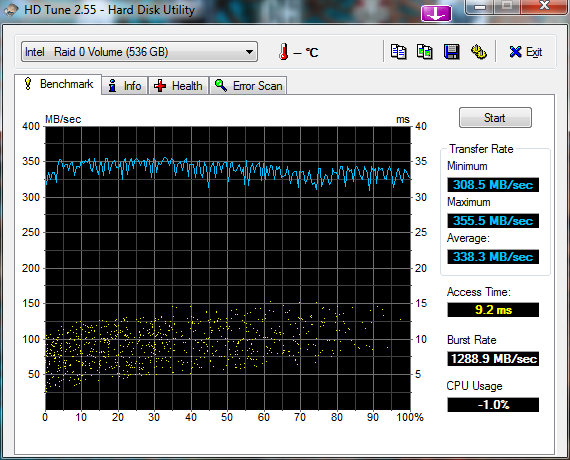
4 x 500 WD Black drives – in one big RAID 0 (128K blocks)

and again only using 500GB of capacity (roughly 1/4 of each of the drives)

HDD short stroking - is it worth it?

I’ve got some old 250Gb drives that are starting to show their age. I’ve currently got them setup in a 3x RAID 0 config which presents about 750Gb of space.

I’ve got everything on a single partition (meh, i’m lazy). I’ve done various speed tests in the current setup (with all space allocated), but i thought i’d re-image onto a short stroke partition.

I only use about 150Gb of space on my main machine (most of my data is on another box), so i’m going to try creating a 200Gb partition to test if this provides any kind of performance boost.